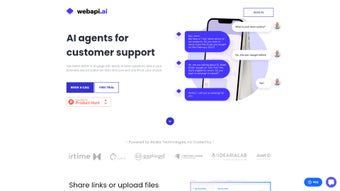

Download Webapi.ai 2.0 – AI‑Powered Architectural Design Tool, Free Demo, Secure Updates
Overview
Webapi.ai 2.0 is a cloud‑native, AI‑driven platform that completely re‑imagines how architects, interior designers, builders, and even hobbyist planners generate residential concepts. The service harnesses generative‑AI algorithms to translate a handful of user‑provided parameters—such as lot dimensions, desired number of bedrooms, budget ceiling, and stylistic preferences—into a portfolio of ready‑to‑review floorplans within seconds. Beyond 2‑D schematics, the tool instantly creates photorealistic 3‑D renderings, complete with material libraries, lighting presets, and contextual landscaping, allowing stakeholders to visualise a finished home before any line is drawn on a physical drawing board.
A built‑in Virtual Design Assistant answers on‑the‑fly queries about material costs, sustainability ratings, and current design trends, while the Regulatory Assistant continuously monitors municipal zoning codes, building ordinances, and accessibility standards, translating complex legal language into plain English explanations. All outputs can be exported as industry‑standard .DXF, .OBJ, or image files, ensuring seamless hand‑off to downstream CAD, BIM, or rendering pipelines. Because the entire engine lives on secure, GDPR‑compliant servers, users benefit from nightly model updates, automatic security patches, and zero‑maintenance installations.
Whether you are a seasoned firm seeking to shave weeks off the conceptual phase, a university student exploring design theory, or a homeowner drafting a dream remodel, Webapi.ai 2.0 delivers a fast, reliable, and secure environment that lets creativity take the front seat while the AI handles repetitive, data‑intensive tasks.
Key Features & How the Tool Works
- Generative Floorplan Engine: Input basic parameters (lot size, number of rooms, style preference) and receive multiple, instantly renderable floorplans.
- 3‑D Rendering Suite: Convert 2‑D layouts into realistic 3‑D visualizations with material libraries and lighting presets.
- Virtual Design Assistant: Chat‑based guidance on material selections, budgeting, and design trends, powered by a large language model trained on architecture data.
- Regulatory Assistant: Real‑time interpretation of zoning, building codes, and accessibility standards in plain English.
- Export Flexibility: Download designs as .DXF, .OBJ, or image files for seamless hand‑off to CAD, BIM, or rendering software.
- Version Control & Collaboration: Cloud storage with revision history, multi‑user editing, and comment threads.
- Secure Cloud Architecture: End‑to‑end encryption, GDPR‑compliant data handling, and regular security patches.
- Automatic Updates: AI models and regulatory databases refresh nightly, guaranteeing up‑to‑date recommendations.
The workflow starts with a concise questionnaire that captures the project's core constraints. Once submitted, the AI engine parses the data, cross‑references the latest municipal codes, and produces a shortlist of viable layouts within seconds. Users can then interact with a drag‑and‑drop interface to tweak wall positions, window sizes, roof pitches, or interior finishes.
Throughout the design session, the Virtual Design Assistant remains available; a simple typed request such as “suggest a cost‑effective exterior finish for a Mediterranean style home” returns a curated list of materials, price ranges, and sustainability metrics. When compliance questions arise, the Regulatory Assistant pulls the most recent code excerpts, highlights potential permit hurdles directly on the plan, and even suggests corrective actions. This iterative loop can be repeated endlessly, enabling architects to explore dozens of concepts without the manual overhead of traditional drafting.
The result is a highly visual, data‑rich design package that is ready for client presentation, internal review, or direct export to downstream engineering tools.
Installation, Compatibility, Usage Instructions & Pros‑Cons
Webapi.ai 2.0 is delivered as a pure web application, eliminating the need for bulky installers or local licensing headaches. To get started, follow these steps:
- Sign Up: Visit webapi.ai and create a free account using an email address or single‑sign‑on (SSO) with Google or Microsoft.
- Verify Email: Click the verification link sent to your inbox to activate your workspace.
- Choose a Plan: Select the “Starter” free tier for limited projects or upgrade to “Professional” for unlimited exports and priority support.
- Launch the Dashboard: After login, you land on the main dashboard where you can start a new project, import an existing .DXF, or explore community templates.
- Configure Project Parameters: Fill in the quick‑start form—site dimensions, number of bedrooms, preferred architectural style, and budget constraints.
- Generate & Refine: Click “Generate” and let the AI produce initial layouts. Use the side panel to edit, add notes, or ask the Virtual Assistant for suggestions.
- Export: Once satisfied, click “Export” and choose the desired format (.DXF for CAD, .OBJ for 3‑D, PNG for quick previews). Files are stored in the cloud and can be downloaded instantly.
Supported Platforms: Because Webapi.ai 2.0 runs entirely in the browser, it is compatible with any modern operating system that supports Chrome, Edge, Firefox, or Safari. This includes Windows 10/11, macOS Ventura and later, Linux distributions with a recent Chromium engine, as well as mobile browsers on Android 12+ and iOS 15+. No additional plugins or extensions are required, and the service automatically scales to accommodate high‑resolution renders on powerful desktops or lightweight previews on tablets.
Pros
- Instant generation of multiple floorplan options saves weeks of manual drafting.
- AI‑driven Virtual and Regulatory Assistants reduce reliance on external consultants.
- Fully cloud‑based – no installation, automatic updates, and cross‑device access.
- Export in industry‑standard .DXF format ensures seamless integration with existing CAD pipelines.
- Secure, encrypted environment meets enterprise data‑privacy requirements.
- Scalable pricing model – free tier for hobbyists, professional tier for firms.
- Collaboration tools (comments, version history) streamline team workflows.
Cons
- Dependence on internet connectivity; offline work is not possible.
- Advanced rendering may be slower on low‑end devices despite cloud processing.
- Free tier limits the number of exports per month, which may require an upgrade for heavy users.
- Regulatory database focuses on U.S. zoning codes; international users may need manual verification.
- Learning curve for the AI query language if users expect highly technical commands.
Frequently Asked Questions
Can I use Webapi.ai 2.0 for commercial projects?
Yes. The Professional and Enterprise plans include commercial usage rights, unlimited exports, and priority support. The free Starter tier is limited to non‑commercial, personal projects.
How does the Regulatory Assistant stay up‑to‑date with local codes?
Webapi.ai syncs nightly with municipal databases and industry‑standard code repositories. When a new ordinance is published, the AI model retrains automatically, ensuring the assistant provides the latest compliance guidance.
Is my design data stored securely?
All user files are encrypted at rest and in transit using AES‑256 and TLS 1.3. Access is protected by two‑factor authentication (2FA) and role‑based permissions for team accounts.
Can I import an existing CAD drawing to edit with AI?
Absolutely. Webapi.ai accepts .DXF, .DWG, and .OBJ files. After import, the AI can suggest modifications, generate alternate layouts, or apply material libraries directly to the imported geometry.
What browsers are officially supported?
The platform is optimized for the latest versions of Chrome, Edge, Firefox, and Safari. Mobile browsers on Android and iOS are also fully supported, though complex 3‑D rendering is best experienced on desktop browsers.
Final Verdict & Call to Action
Webapi.ai 2.0 marks a decisive shift toward AI‑augmented architectural design. By automating the most time‑consuming phases—floorplan creation, code compliance checks, and material costing—the tool frees professionals to focus on the artistic and strategic aspects of their work. Its cloud‑first delivery guarantees you always run the latest version without manual patches, while the robust security model keeps proprietary designs safe. Although an internet connection is mandatory and the free tier imposes export limits, the overall value proposition far outweighs these minor constraints, especially for firms looking to accelerate project turnaround and reduce reliance on external consultants.
If you’re ready to experience faster concept generation, smarter regulatory insight, and seamless collaboration, sign up for a free Webapi.ai 2.0 account today. Upgrade to the Professional plan whenever you need unlimited exports or priority support, and watch your architectural workflow transform from weeks to minutes.
Review Summary
Webapi.ai 2.0 delivers a powerful mix of generative design, real‑time compliance, and cloud‑based collaboration that feels tailor‑made for modern architectural practices. The intuitive UI, rapid AI feedback, and secure data handling make it a compelling addition to any designer’s toolkit.
- Pros: Instant multi‑option floorplans, built‑in regulatory guidance, seamless export formats.
- Cons: Requires constant internet access; free tier export caps.



.png)



